Clean up resources
Terminate EC2 instance
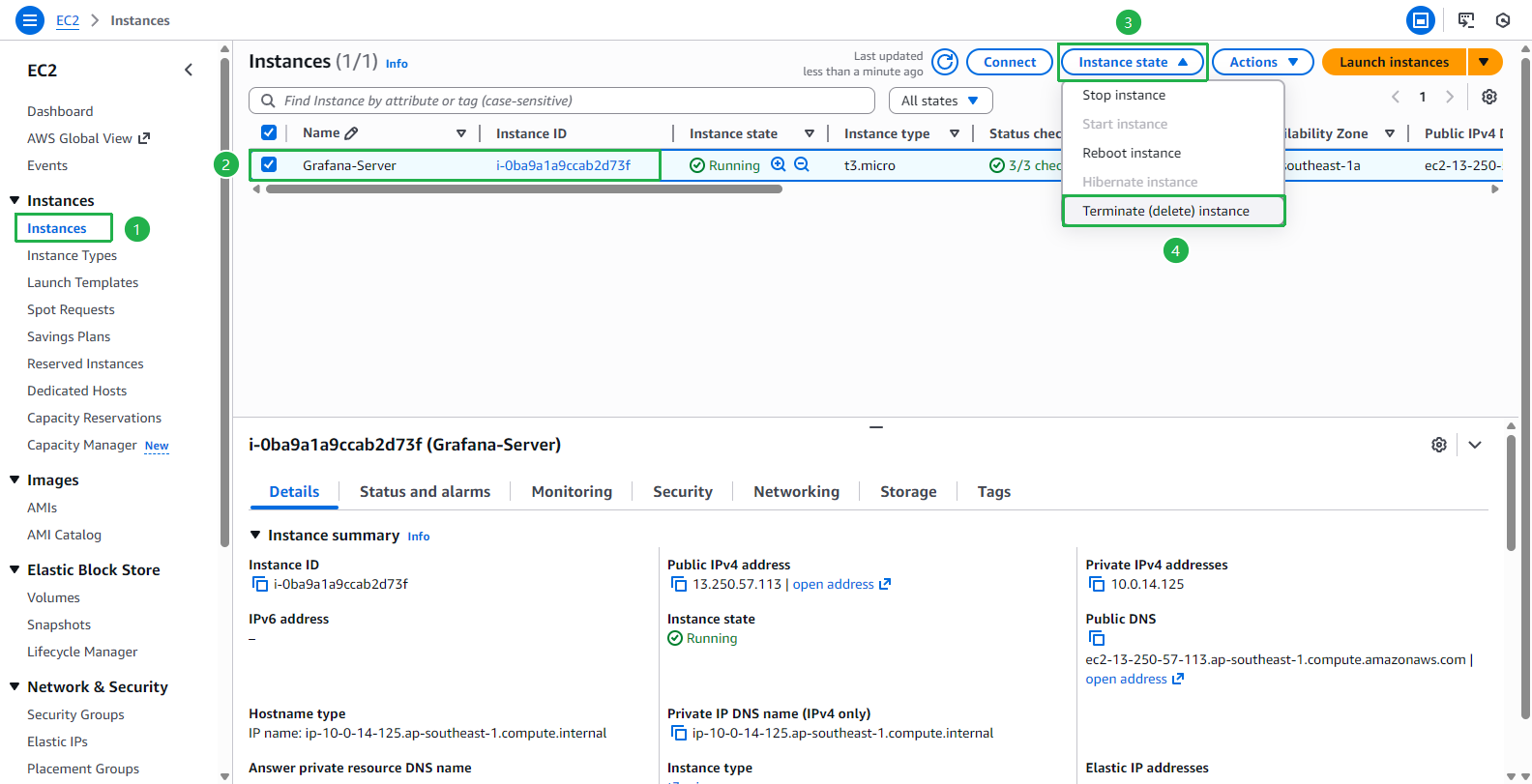
- Go to Amazon EC2 console
- Select Instance
- Select Grafana-Server then select Instance state
- Select Terminate instance
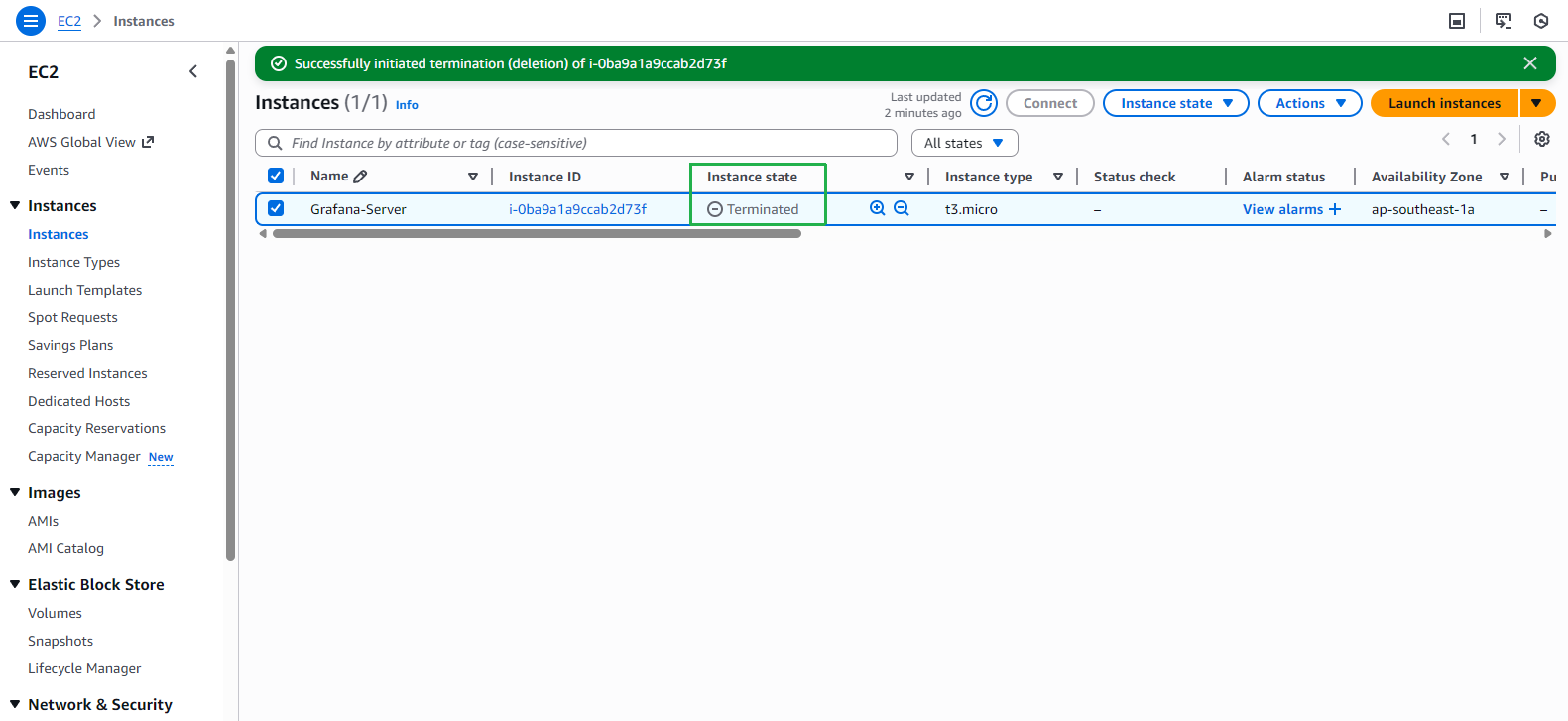
- Wait about 2 minutes the instance will Terminate
Remove VPC
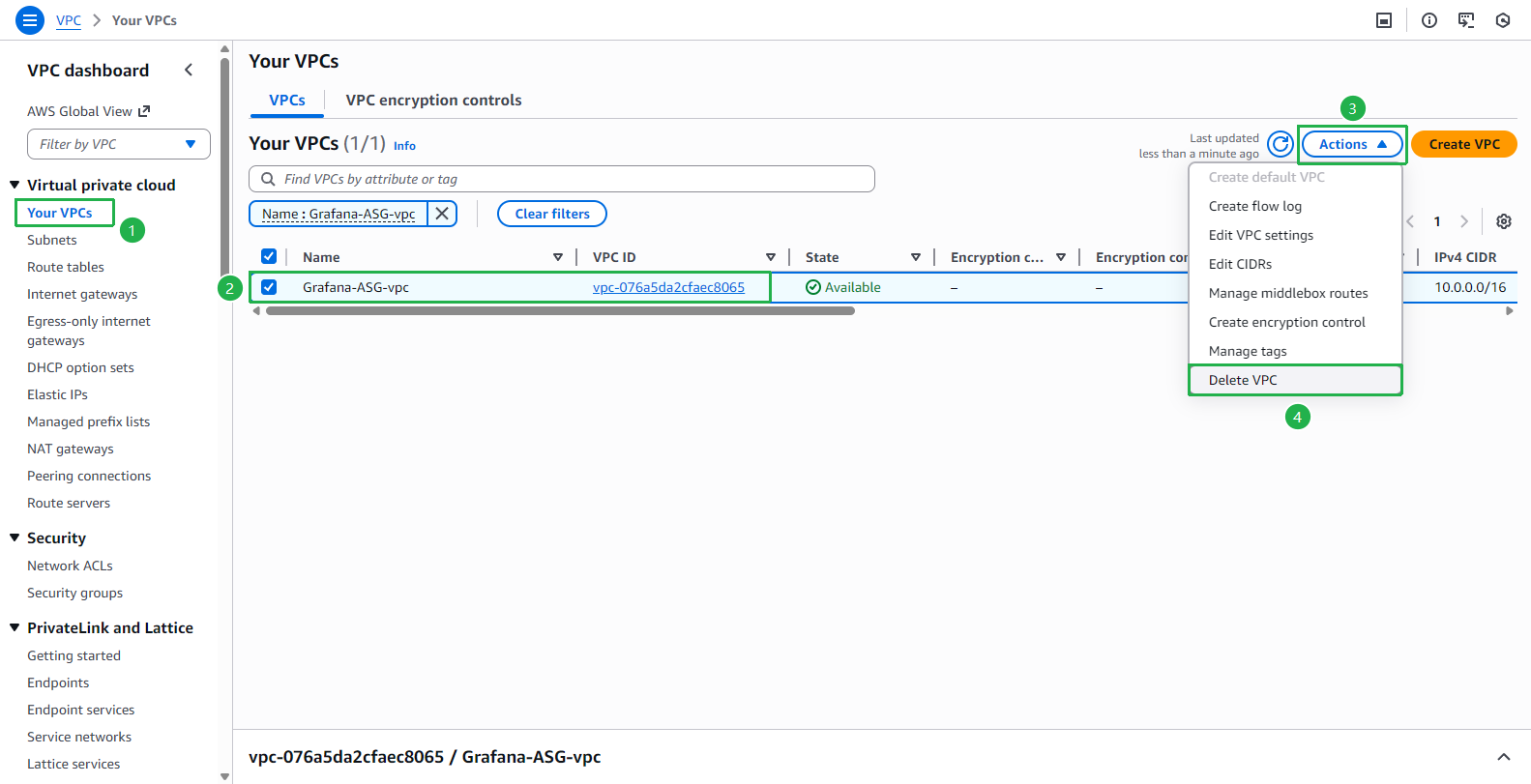
- Go to AWS VPC console
- Select Your VPCs
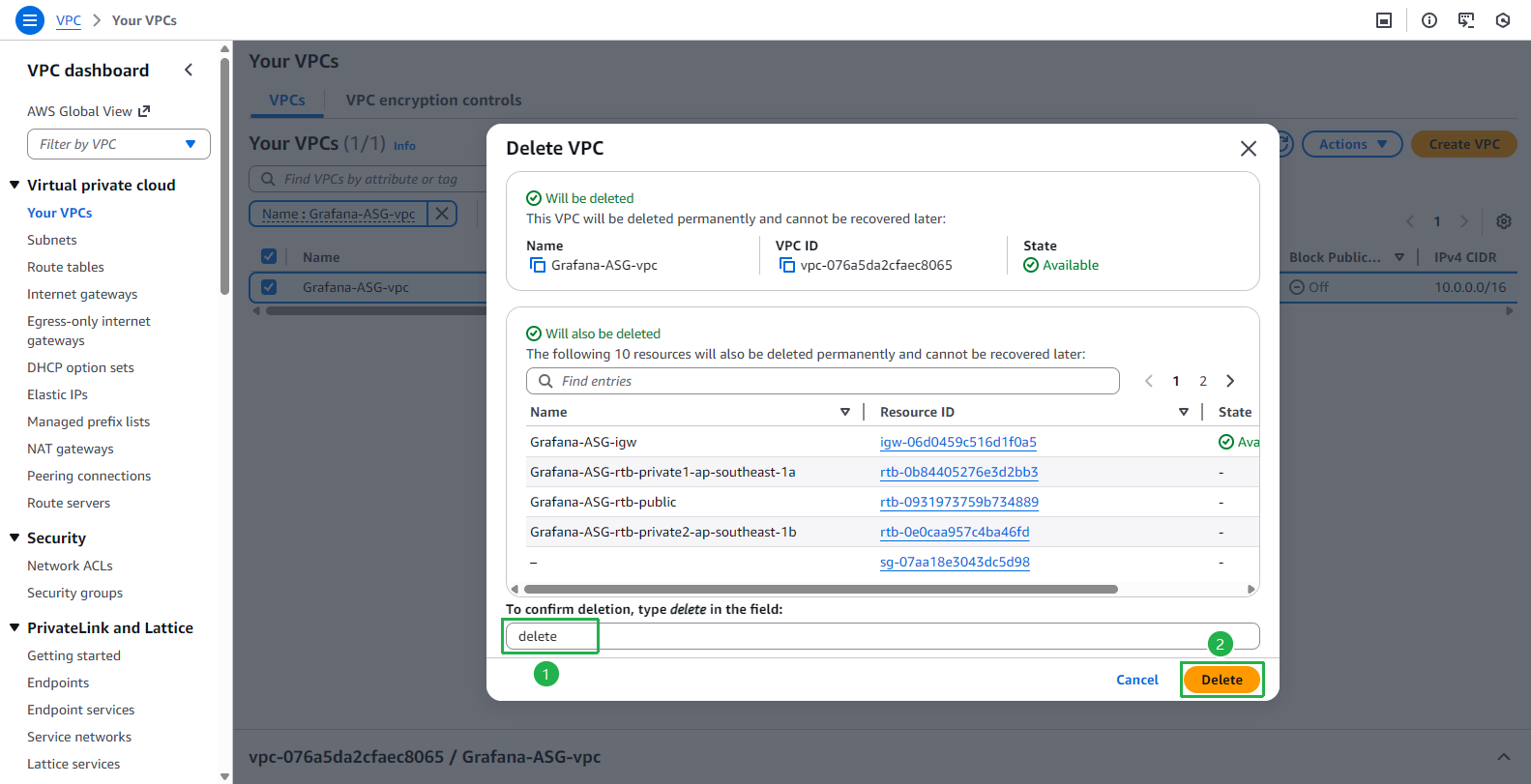
- Select VPC Grafana-ASG-vpc
- Select Actions and select Delete VPC
- Enter
deleteto confirm VPC deletion and select Delete.
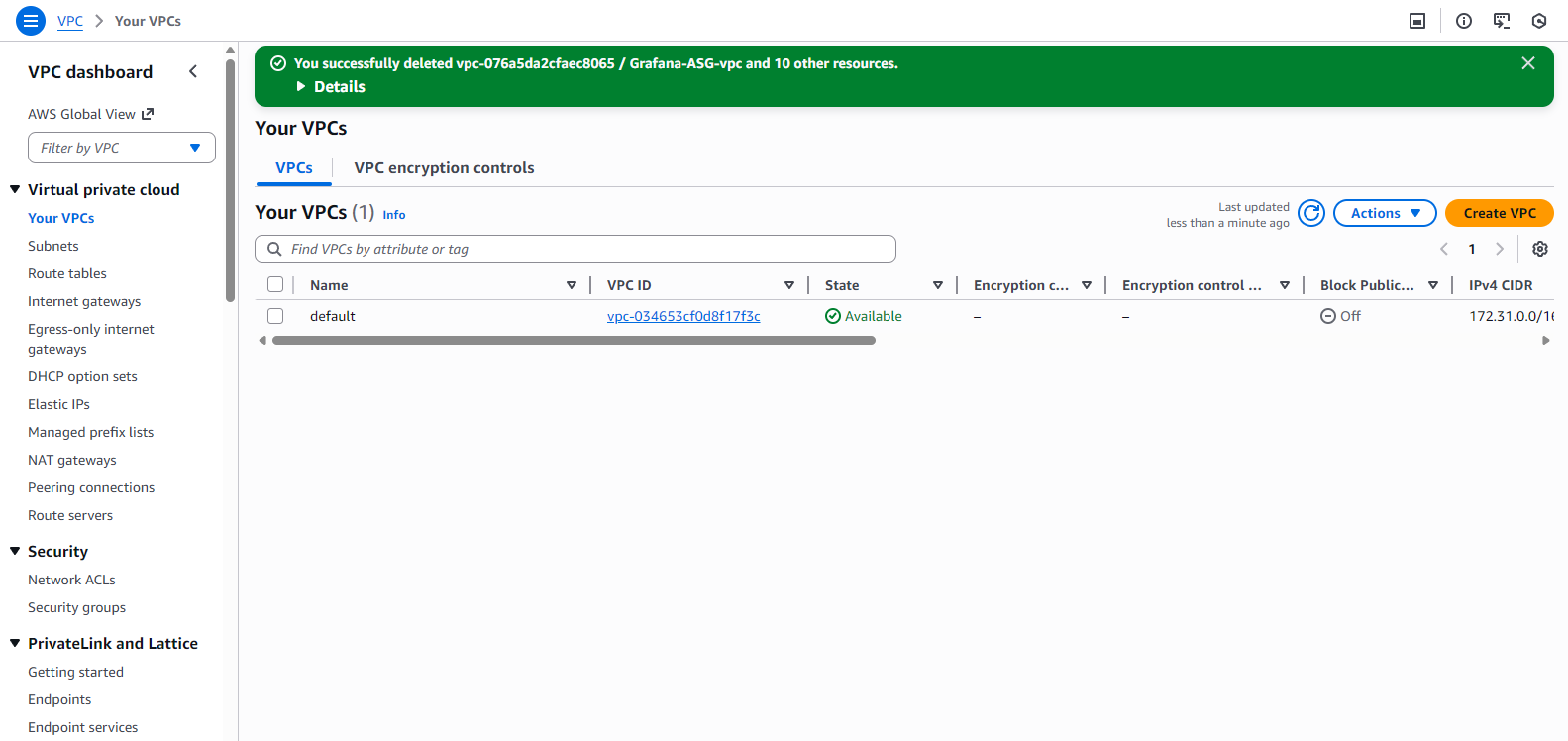
- VPC has been deleted successfully.
Delete IAM User
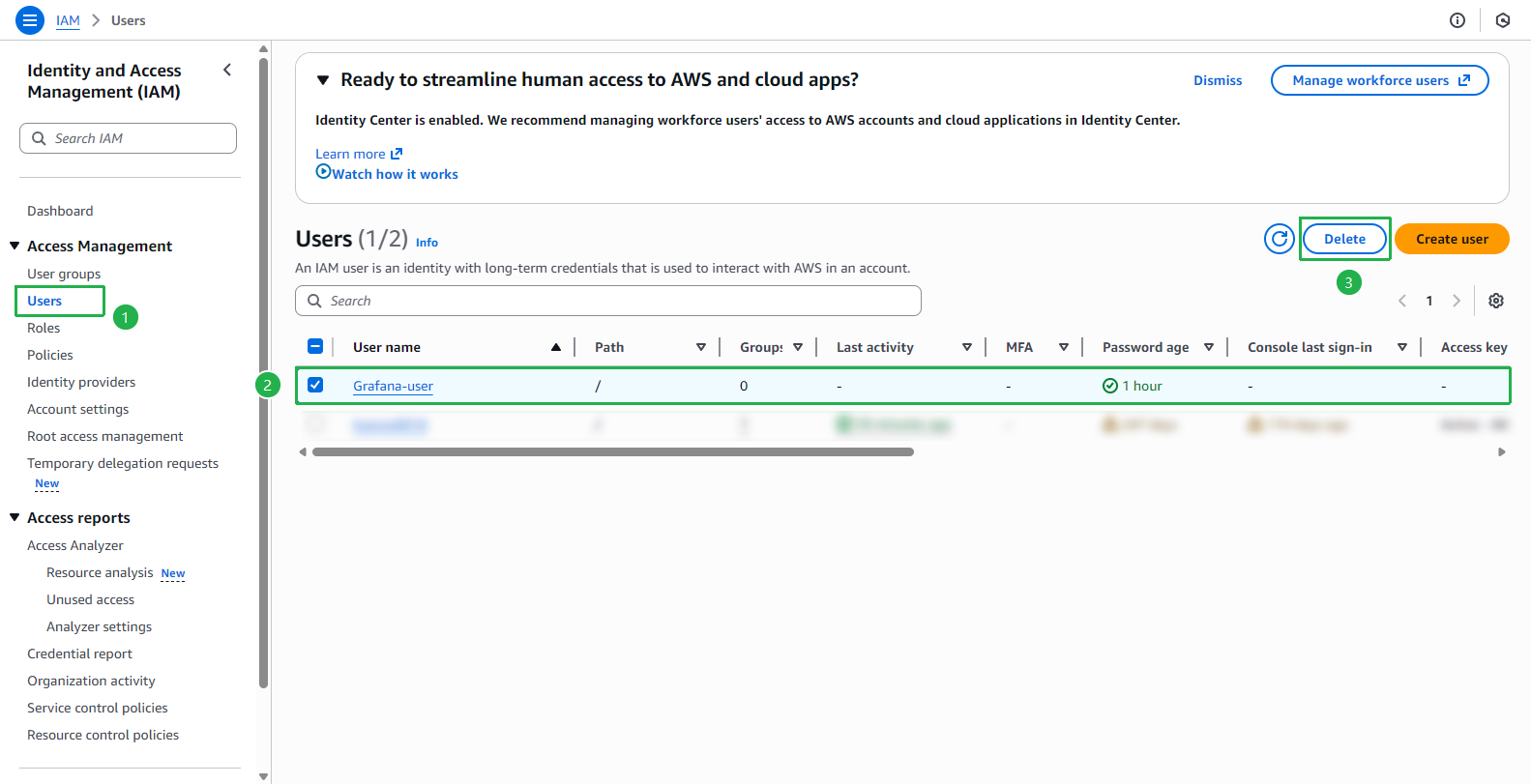
- Go to AWS IAM console
- Select Users
- Select Grafana-user
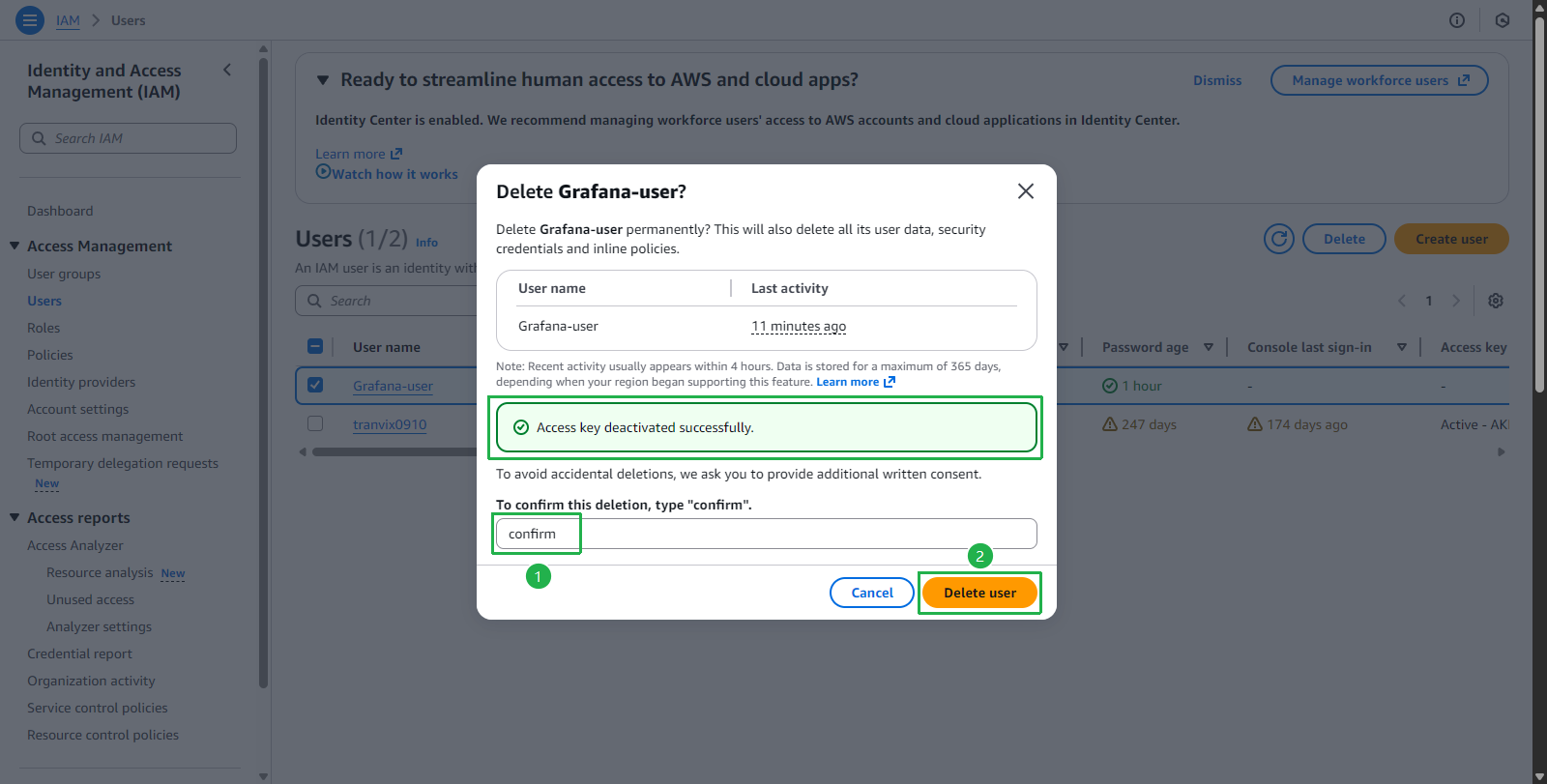
- Select Delete
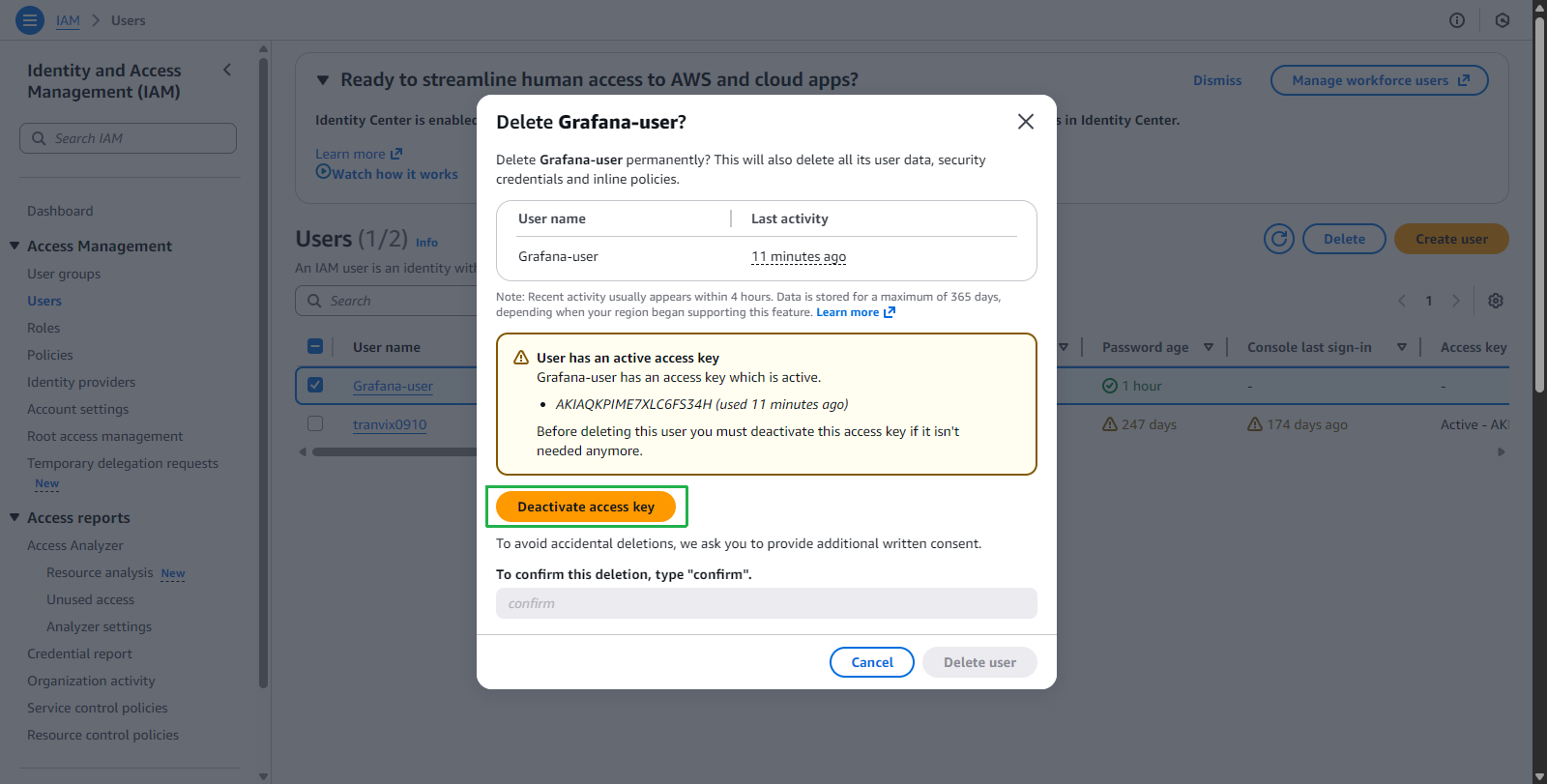
- When selecting Delete, a warning interface Deactivate access key will appear
Select Deactivate access key
Then enter
confirmand select Delete user
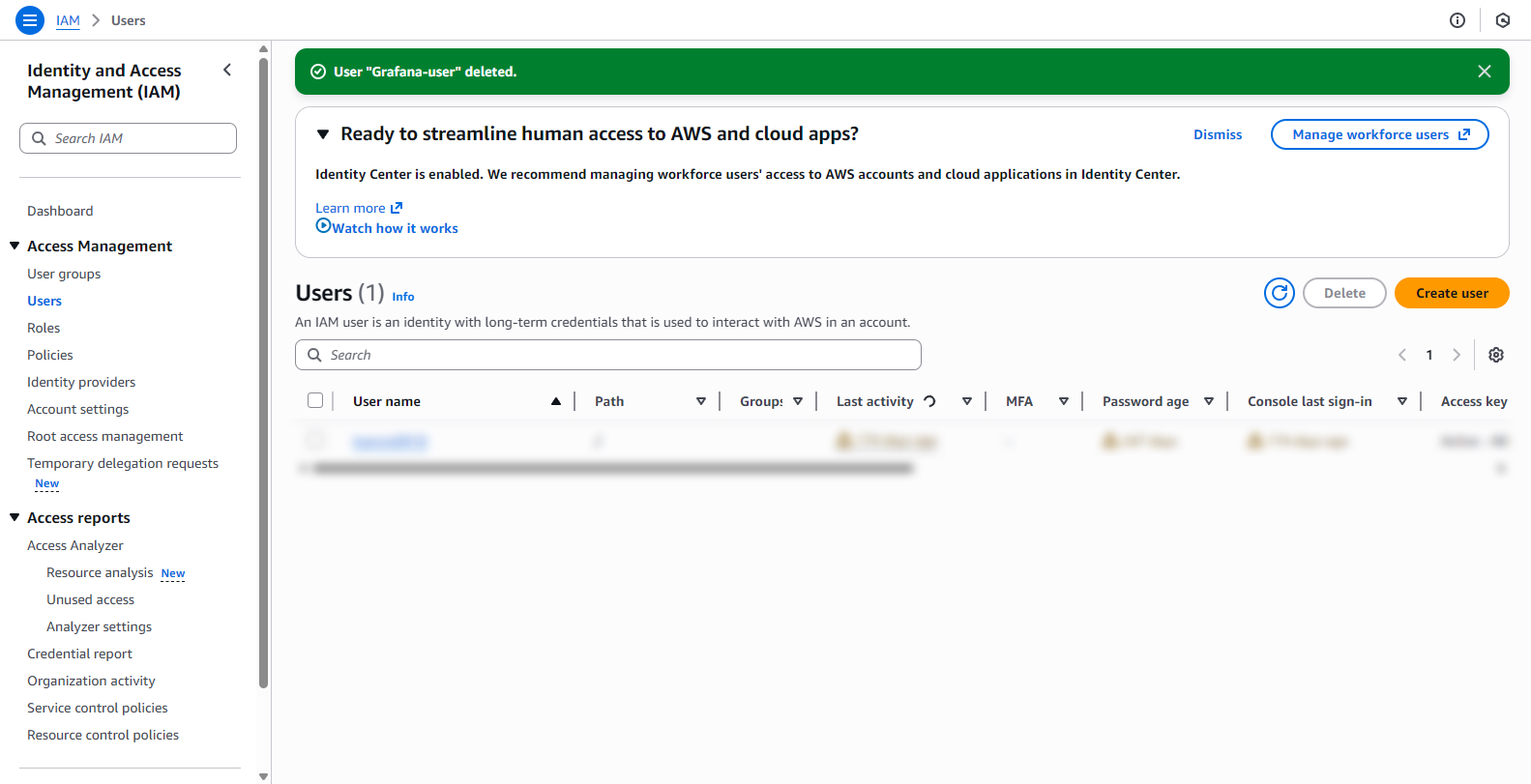
- User deleted successfully
Delete IAM Role
- Go to AWS IAM console
- Select Roles
- Select Grafana-role
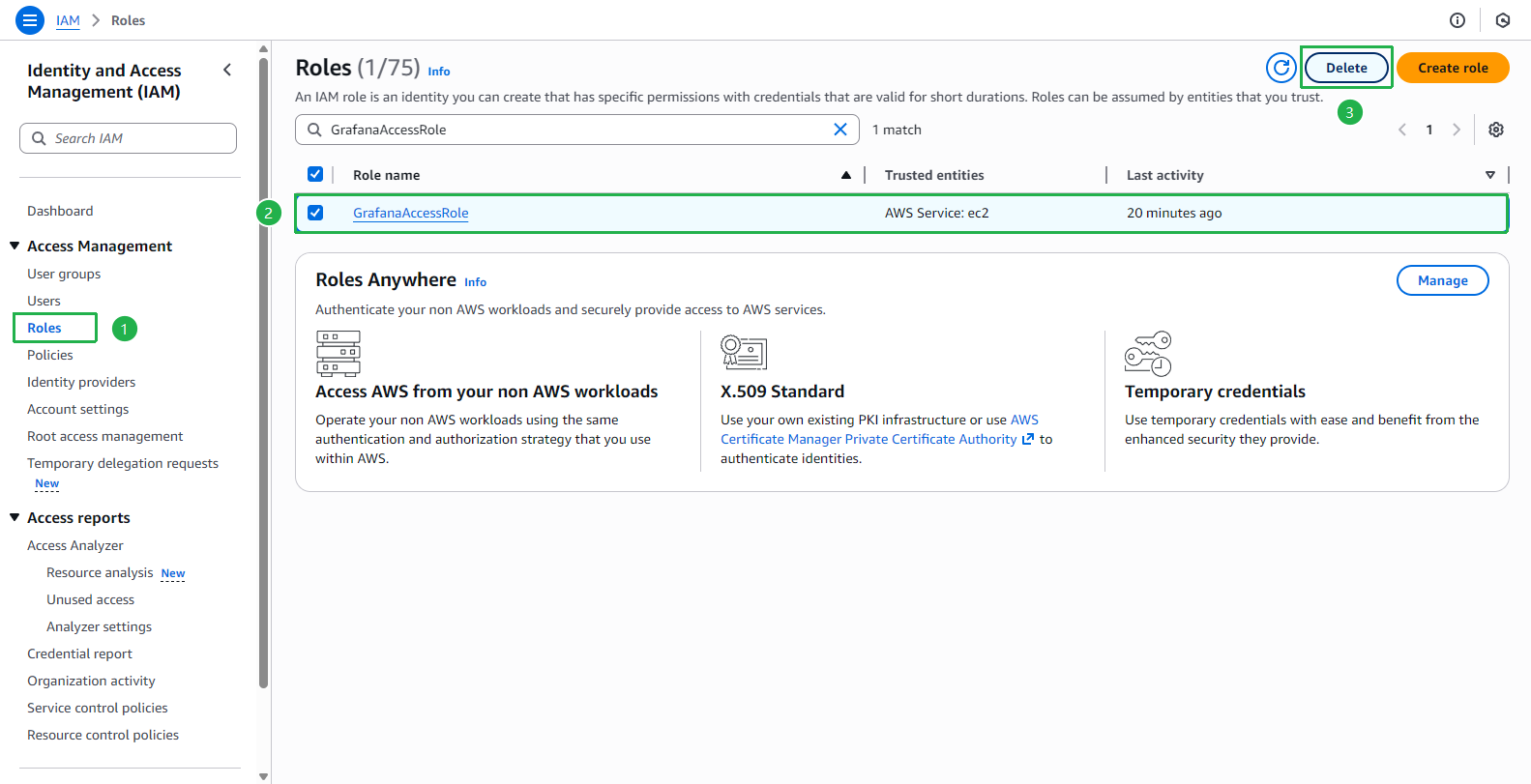
- Select Delete
Select Delete
Then enter
GrafanaAccessRoleand select Delete
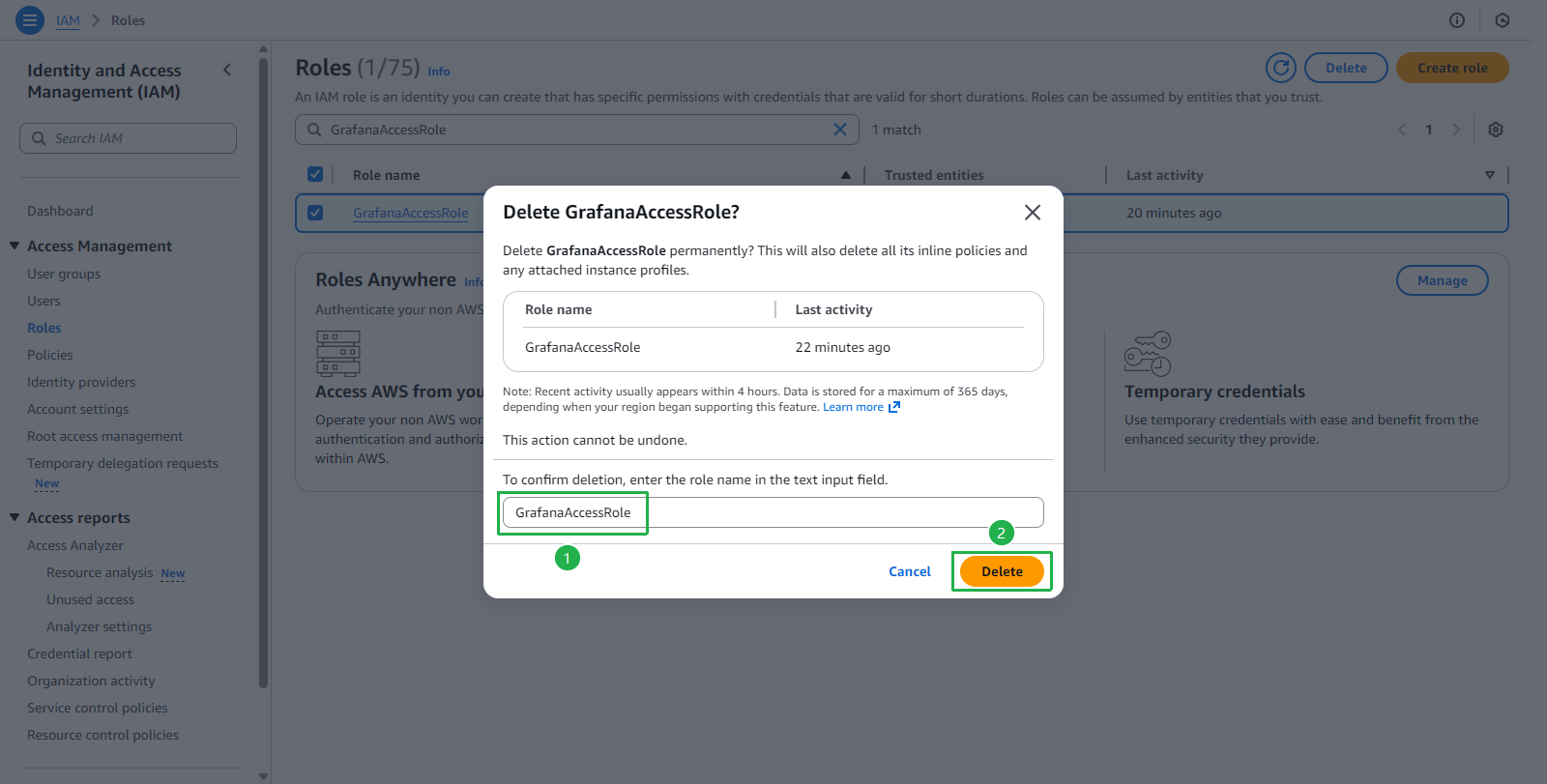
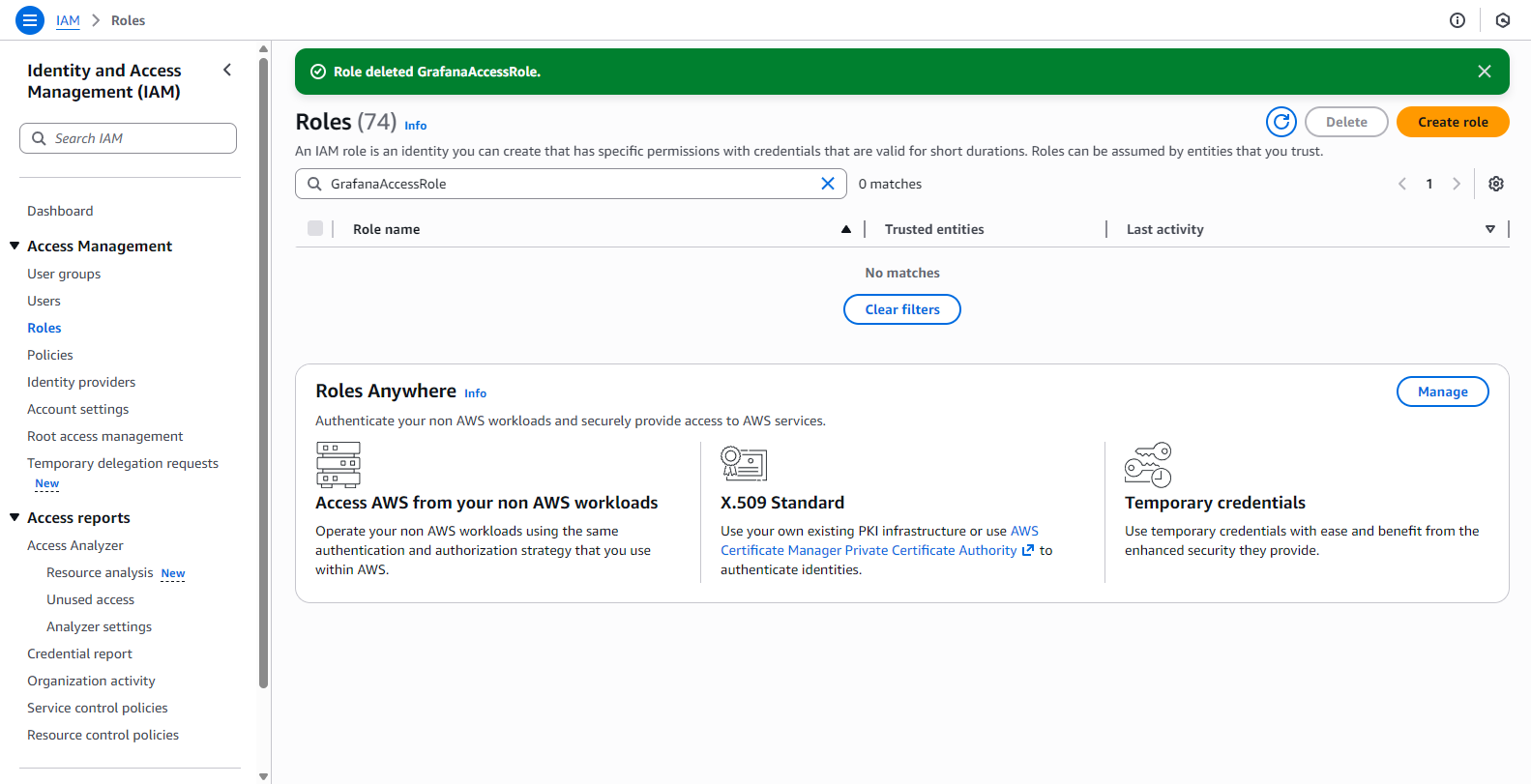
- Role deleted successfully
Delete IAM Policy
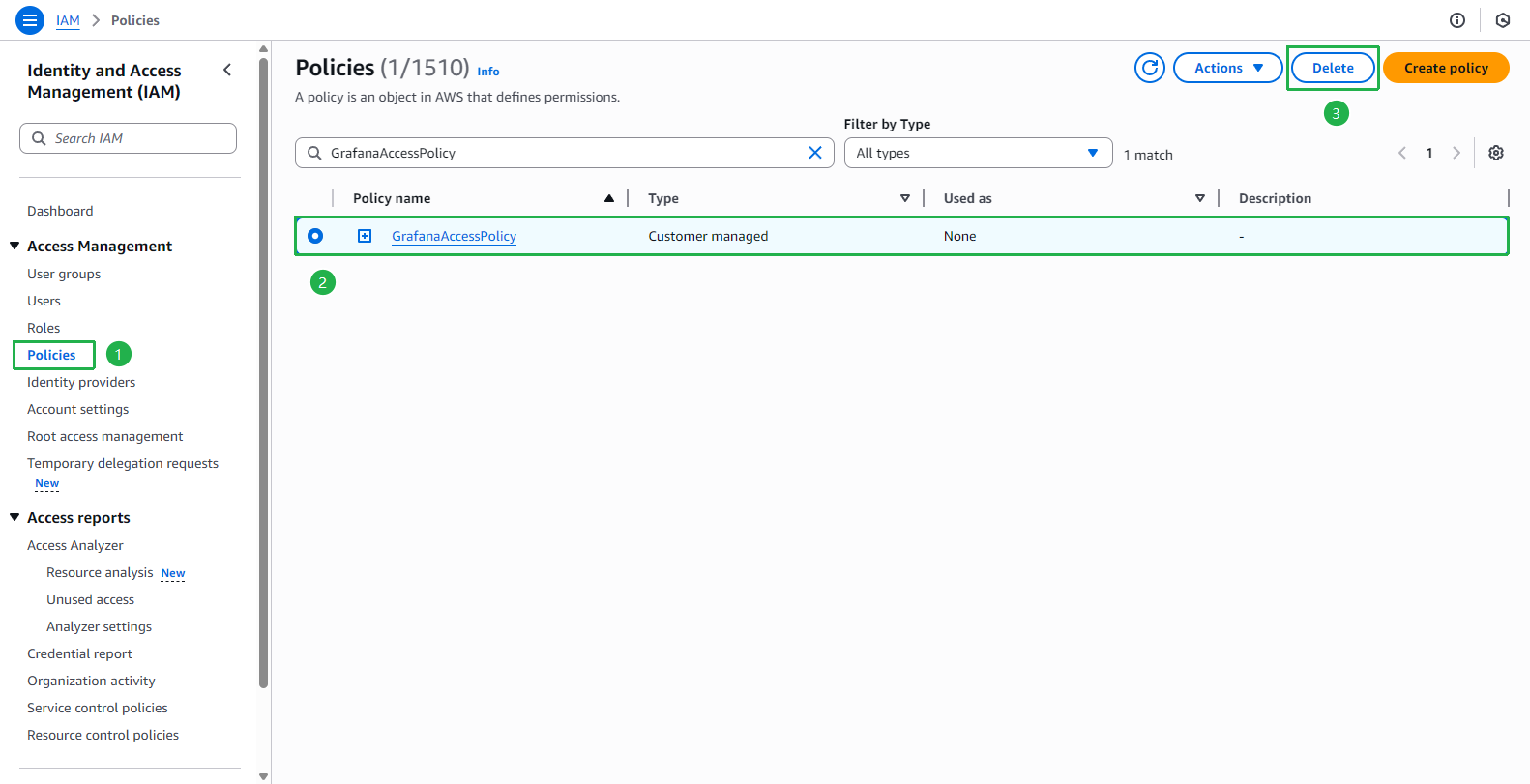
- Go to AWS IAM console
- Select Policies
- Select GrafanaAccessPolicy
- Select Delete
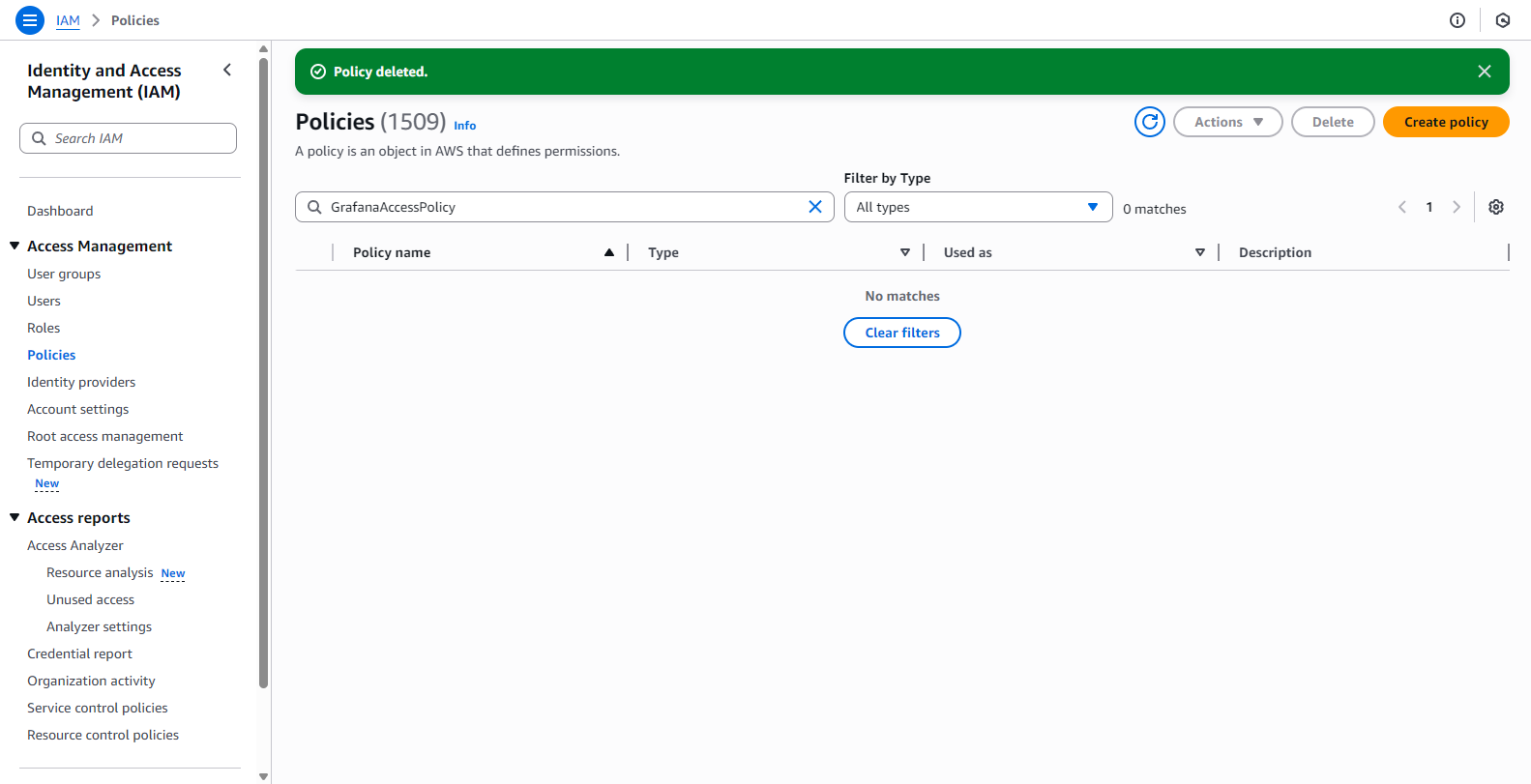
- Enter the policy name and select Delete
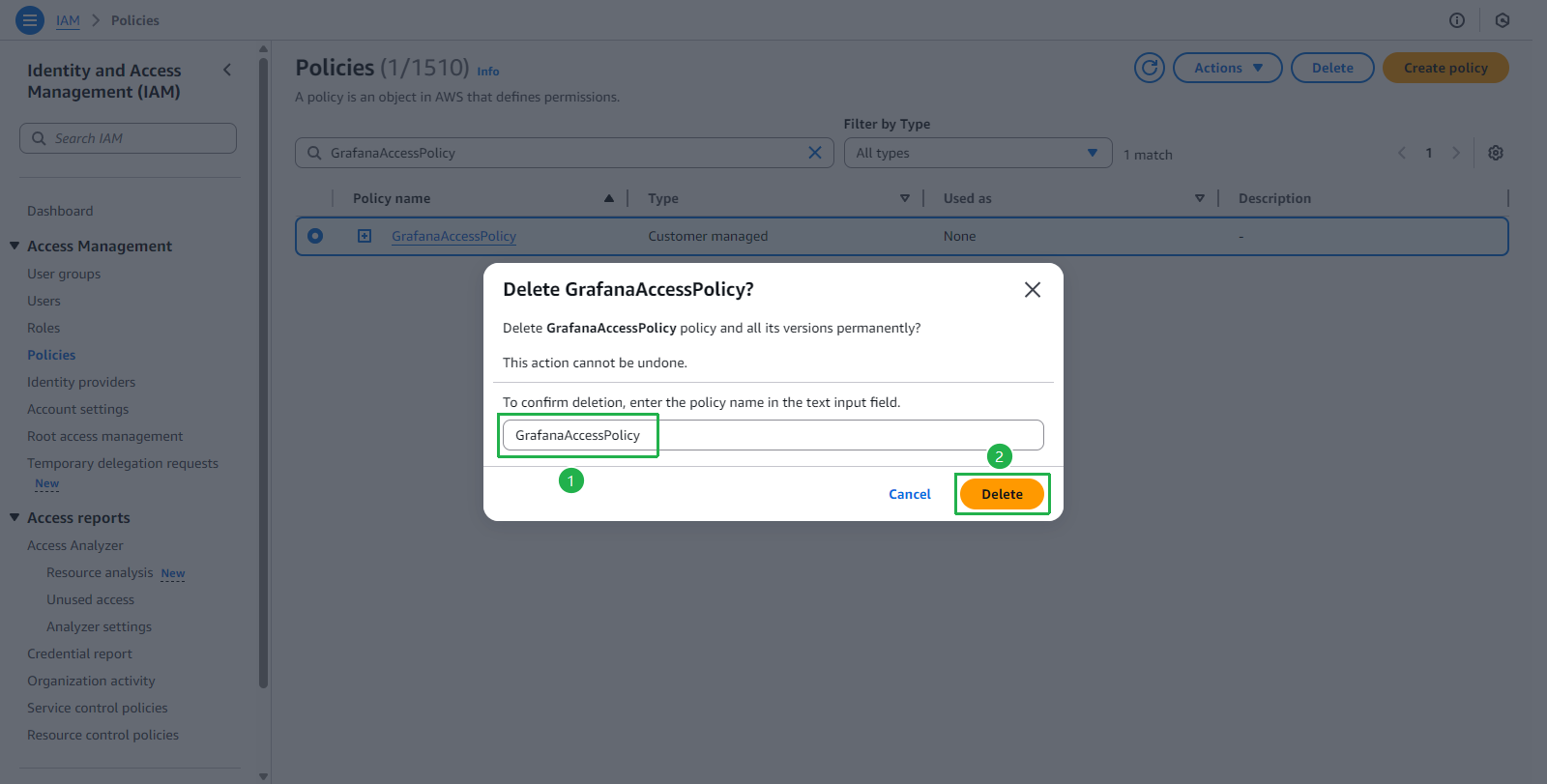
- Policy deleted successfully