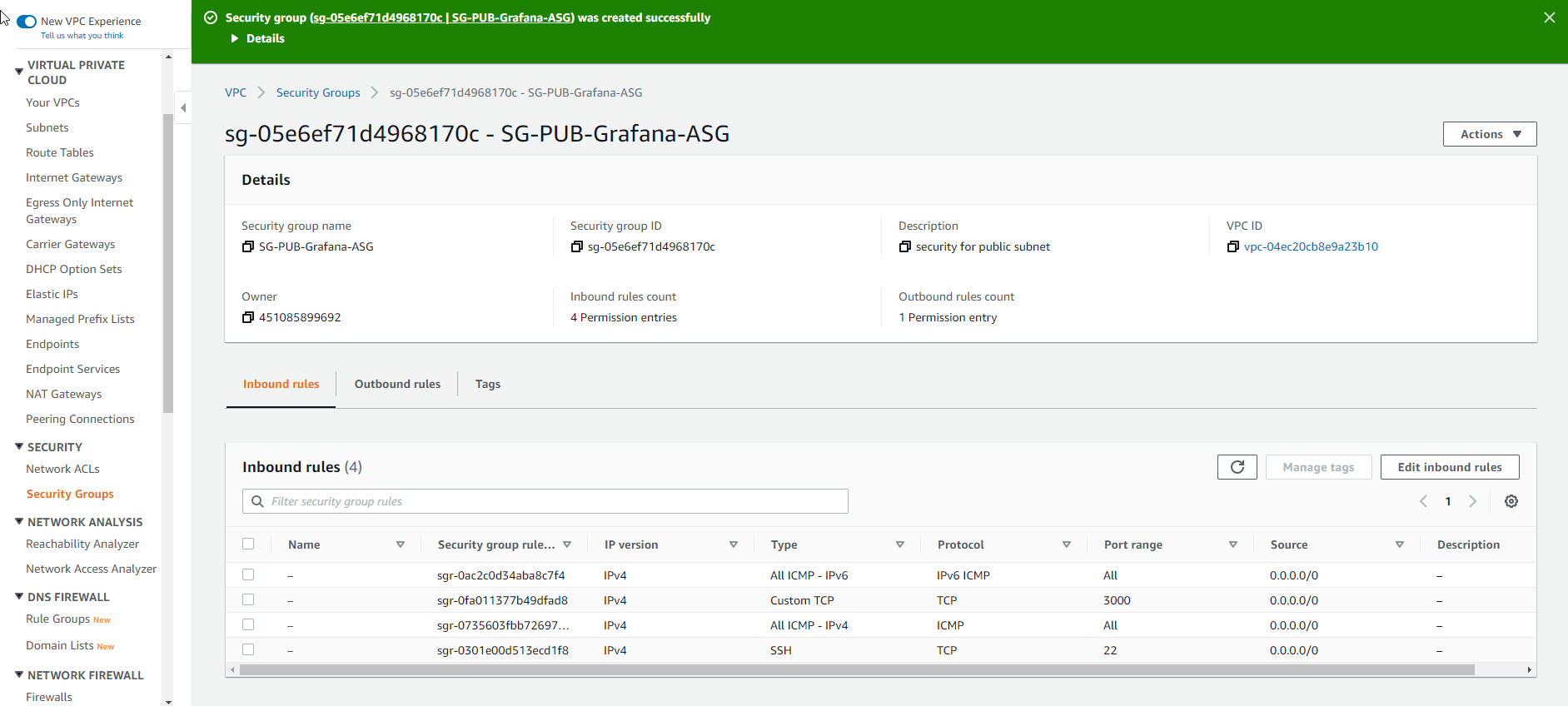
Tạo Security Group
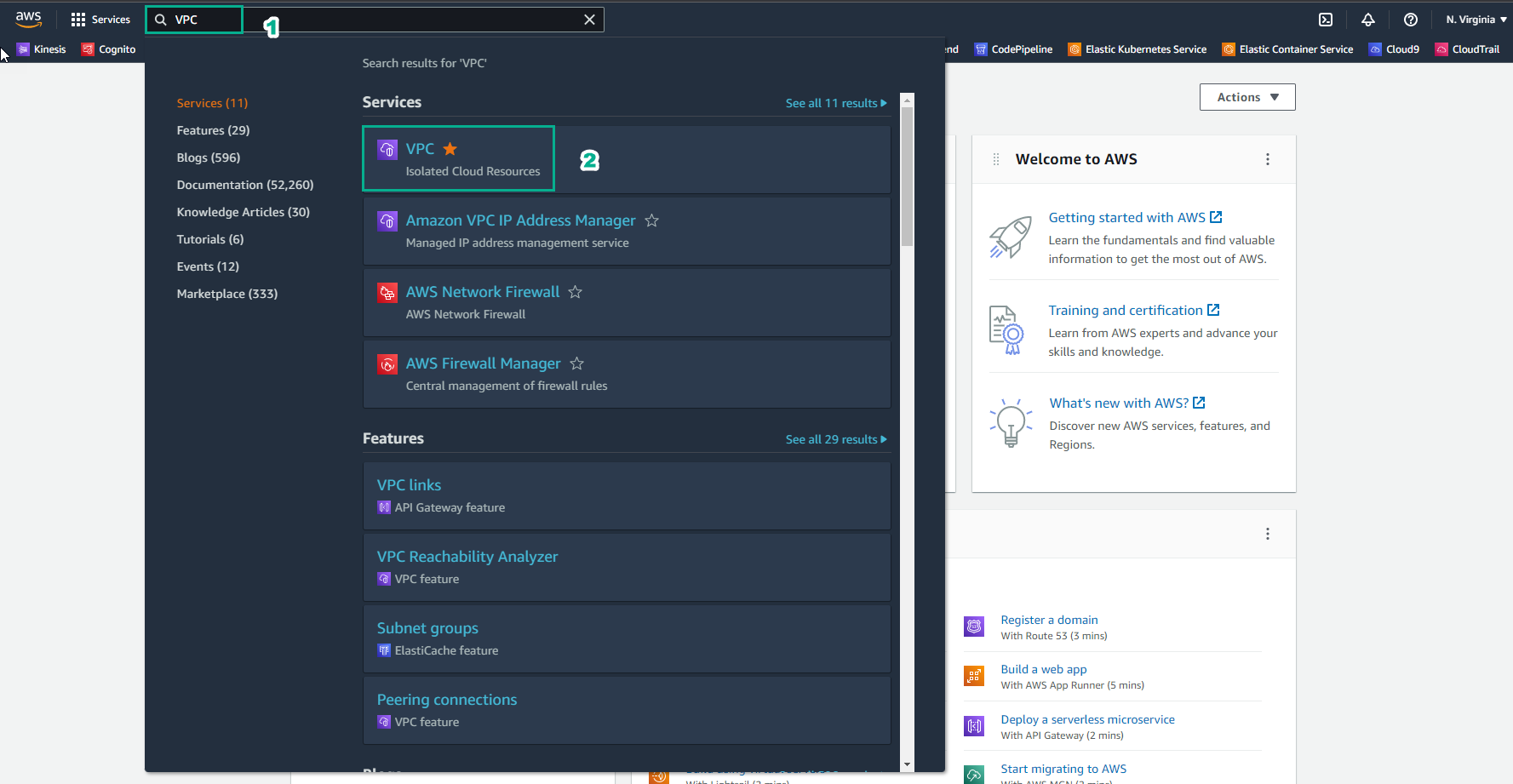
Truy cập AWS Management Console
- Tìm VPC
- Chọn VPC
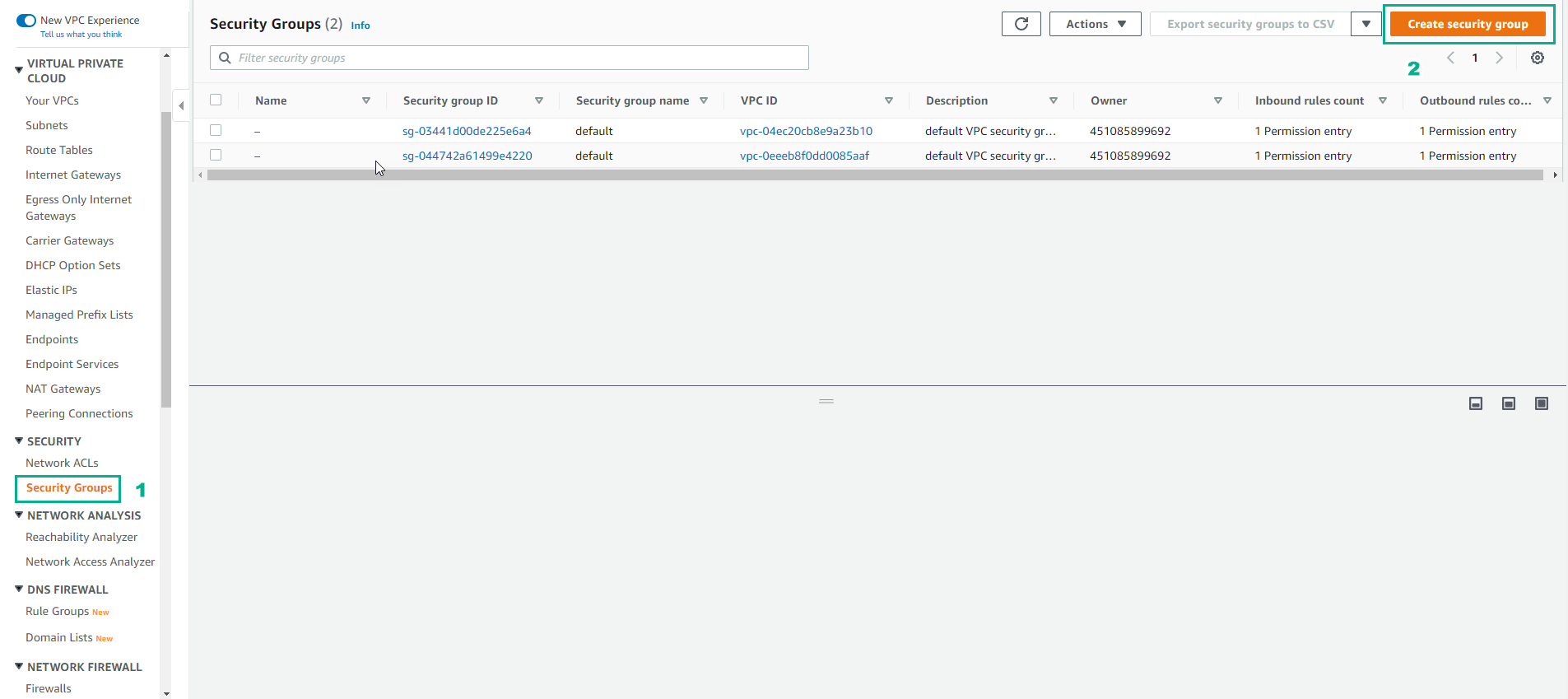
Trong giao diện VPC
- Chọn Security group
- Chọn Create security group
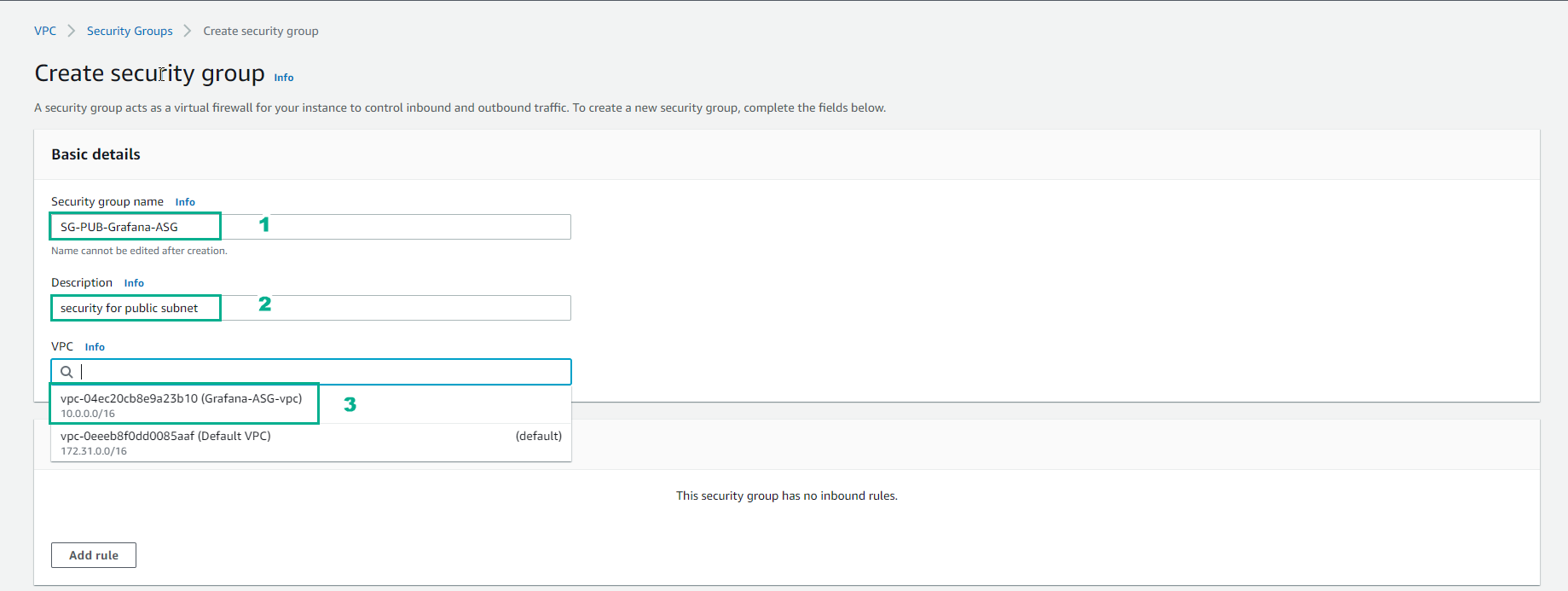
Trong giao diện Create security group
- Security group name, nhập
SG-PUB-Grafana-ASG - Description, nhập
security for public subnet - Chọn VPC vừa tạo
- Security group name, nhập
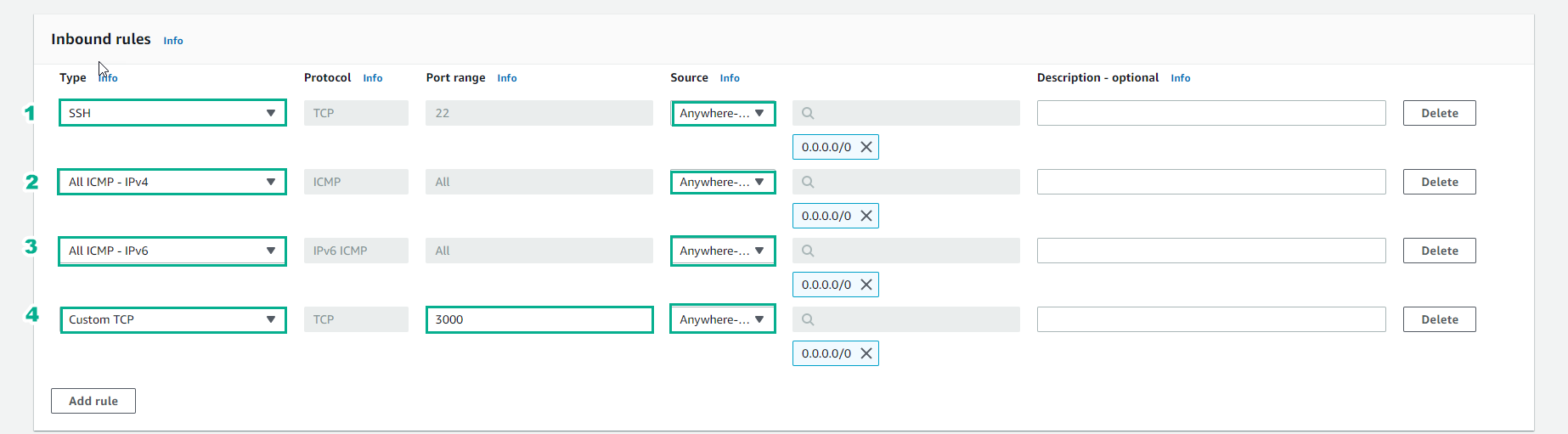
Nhập thông tin Inbound rules*
- SSH
- All ICMP - IPv4
- All ICMP - IPv6
- Custom TCP
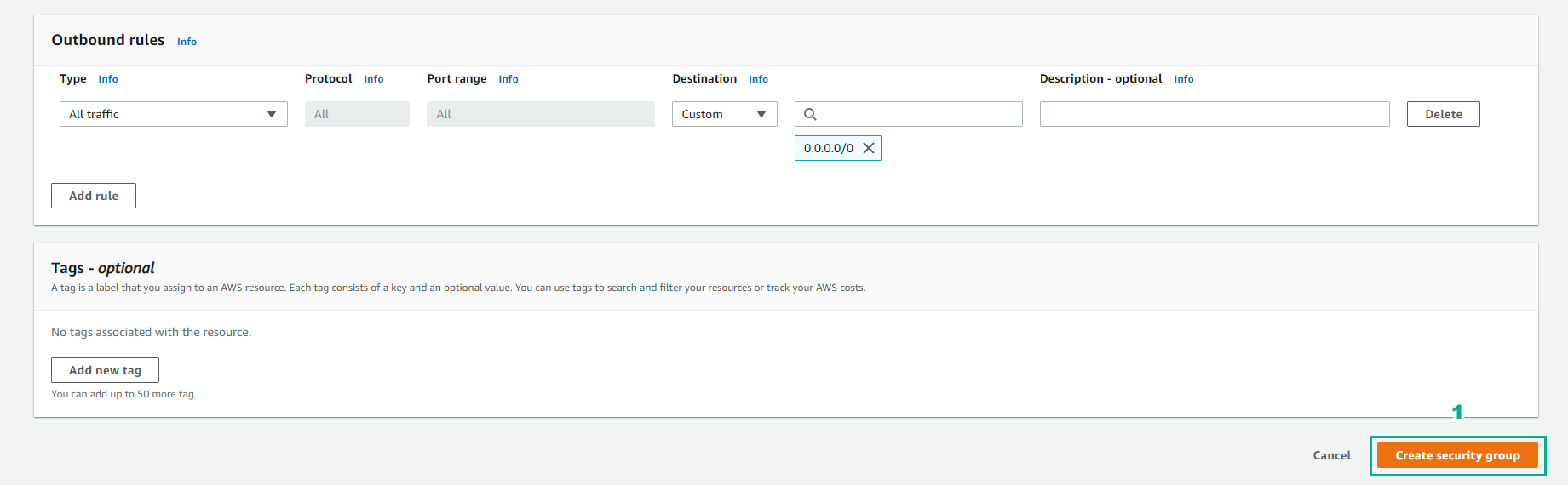
Chọn Create security group
Vậy là chúng ta đã tạo security group thành công